
Pikashow APK Installation Guide for Movies and TV Shows
Learn how to download and install the Pikashow APK to watch Bollywood, Hollywood, and South Indian movies, along with TV shows and web series on your Android device.
App Information
| App Name | Pikashow |
|---|---|
| Version | 1.0 |
| Size | 24.8 MB |
| Downloads | 10K+ |
| Updated | 2026-10-10 |
| Category | Sports |
| Rating | 5.0 |
Pikashow APK Installation Guide for Movies and TV Shows
In the evolving landscape of entertainment, the Pikashow APK has emerged as a popular choice for many Android users in India. This versatile application allows you to stream an array of content including Bollywood movies, Hollywood films, South Indian cinema, TV shows, and exciting web series. Whether you're a fan of Hindi movies or regional films, Pikashow is designed to cater to your viewing preferences with a variety of video content available at your fingertips.
About Pikashow
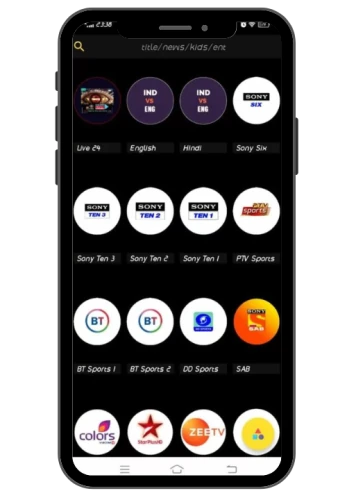
Pikashow is an innovative streaming application that provides users with the capability to watch Movies and shows online. The app includes:
- Wide Content Library: Access a diverse range of movies including Bollywood, Hollywood, and various South Indian films such as Tamil, Telugu, Malayalam, and Kannada movies.
- TV Shows and Web Series: Stream popular television series and trending web content.
- User-Friendly Interface: Browse through categorized sections to find your favorite content easily.
- Video Quality Options: Enjoy different video quality settings tailored to your internet speed.
- Compatibility: The app is compatible with various Android devices, ensuring a smooth streaming experience.
Note that Pikashow may not be available on the Google Play Store, so users might need to install it via an APK file directly from trusted sources.
How to Download and Install Pikashow APK
To install Pikashow on your Android device, follow these simple steps:
Step 1: Download the APK File
Begin by downloading the latest APK file from the official website or a reliable source. Always verify the file name, version, and source before downloading.
Step 2: Locate the Downloaded File
Once the download is complete, open your File Manager and navigate to the Downloads folder to find the APK file.
Step 3: Enable Unknown App Installation
Should your Android system block the installation, allow installations from unknown sources by navigating to:
Settings → Security / Privacy → Install Unknown AppsKeep in mind that different versions of Android or mobile manufacturers might have varying names for these settings.
Step 4: Install the Application
Tap on the APK file and follow the on-screen instructions to complete the installation process.
Step 5: Open the App
After installation, click on the 'Open' button to launch the app and follow any initial setup instructions.
For your security, it is advisable to disable the 'Install Unknown Apps' permission after installing the APK.
.webp)
Safety Tips Before Installing Pikashow APK
While downloading and installing APK files, it's crucial to prioritize safety:
- Always download APKs from the official website or trusted sources to minimize risks.
- Avoid clicking on suspicious ads or pop-ups that lead to unknown downloads.
- Check the APK file's source and version details before installing.
- Consider using reliable Android antivirus software or Google Play Protect to scan the file.
- Be cautious of the permissions requested during installation; do not grant sensitive permissions unrelated to the app's functionality.
- Disable 'Install Unknown Apps' permissions after finishing the installation.
- Refrain from installing modified or unofficial versions of APKs.
Frequently Asked Questions (FAQ)
Q1. Is Pikashow APK free to use?
Yes, Pikashow is generally free to use for streaming movies and TV Shows.
Q2. Can I watch Bollywood and South Indian movies on Pikashow?
Absolutely! Pikashow features a vast library that includes Bollywood and South Indian films.
Q3. Does Pikashow APK work on Android TV?
Pikashow is primarily designed for Android smartphones and tablets; however, you might be able to sideload it onto Android TV devices.
Q4. Why is video streaming buffering or lagging?
Buffering may occur due to a slow internet connection. Consider checking your network, lowering video quality, or closing background applications.
Q5. Do I need to create an account to use Pikashow?
No, you do not need to create an account to start streaming on Pikashow.
Disclaimer
This article serves as a guide for installing and using the Pikashow APK on your Android device. Third-party streaming applications may comprise content from various sources. All original copyrights and intellectual property rights of the films belong to their respective owners. Users are advised to comply with local copyright laws and regulations. It is the user's responsibility to verify the application source, content authorization, and associated risks. This article does not promote or endorse any unauthorized content or infringement of copyrights.