
Comprehensive pikashow App Review and Streaming Guide for Android
Explore a detailed pikashow app review covering features, device compatibility, alternatives, safety considerations, and common troubleshooting tips.
Comprehensive pikashow App Review and Streaming Guide for Android
Introduction
Navigating the vast ecosystem of mobile entertainment options can be challenging for modern Android users in India. This review of the pikashow Android app aims to provide an objective overview of its interface, device compatibility, core capabilities, and important safety factors. Whether you are comparing multimedia tools or trying to understand how video-on-demand platforms operate on smartphones, this guide breaks down the essential details to help you make an informed decision before installing any software on your device.
What is pikashow
The pikashow application is designed as a digital media hub that aggregates various video-on-demand content, allowing users to browse through organized categories of films, web series, and television broadcasts. It serves mobile users who prefer a centralized interface for discovering and streaming entertainment titles across different genres. However, prospective users should note an important detail regarding its infrastructure: this page could not verify that the app holds formal licenses for the content it offers.
Content aggregation apps typically pull media streams from external web sources rather than hosting licensed files directly. Because digital rights management varies significantly across Indian media markets, understanding the legal and operational background of such applications is crucial. Users should carefully review the permissions requested during installation and consider the source of the software file to protect their mobile devices against potential vulnerabilities.
Key Features
Category Organization
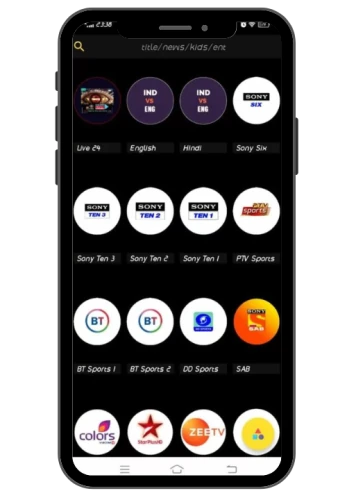
The pikashow app organizes extensive media libraries into distinct categories such as drama, action, and documentary sections. This structural layout helps users quickly locate specific genres without navigating complex menus, saving time during daily media browsing sessions on mobile devices.
External Player Integration
Users can route video playback through popular external media players installed on their Android smartphones. This flexibility allows individuals to utilize customized audio settings, subtitle adjustments, and gesture controls provided by third-party applications like VLC or MX Player.
Search Functionality
An integrated search bar enables individuals to look up specific titles instantly within the application library. This tool minimizes manual browsing effort and provides rapid access to preferred entertainment programs across various indexed directories.
Adaptive Resolution Support
The application adapts streaming quality based on detected internet bandwidth fluctuations. This mechanism attempts to maintain steady video playback even when network speeds drop during active viewing sessions on mobile data or Wi-Fi networks.
Watchlist Creation
Users can curate personal bookmark lists to store preferred media titles for future viewing. This organizational tool streamlines navigation by keeping frequently accessed programs readily available within a dedicated user profile section.
Lightweight Architecture
The software package is engineered to consume minimal internal storage space on Android devices. This lightweight design helps maintain overall system responsiveness, making it suitable for smartphones with limited memory capacity.
What You Can Watch
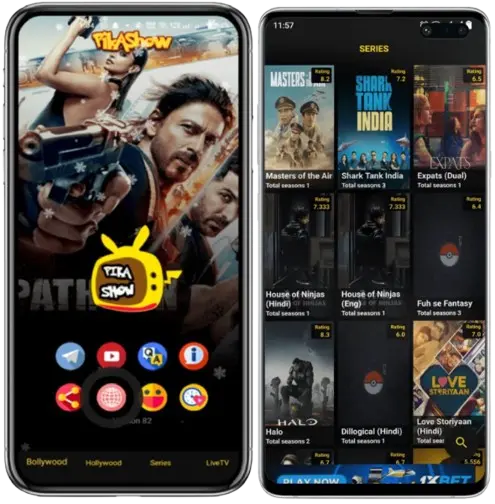
The platform features a broad spectrum of digital entertainment categories, ranging from classic Bollywood productions to regional Indian cinema including Tamil, Telugu, Malayalam, and Punjabi films. Additionally, viewers can explore international Hollywood movies, documentaries, and multi-season web series. The content catalog spans diverse genres like romance, thriller, comedy, and historical drama, catering to multi-lingual audiences across different regions. While the variety is extensive, availability depends entirely on active external server links and ongoing content indexing updates managed within the application network.
Device Compatibility
- Android smartphones running various custom user interfaces
- Android tablets and portable media pads
- Android TV boxes and smart television sets
- Amazon Firestick and compatible streaming sticks
pikashow vs Licensed OTT Platforms
| Feature | pikashow | Licensed OTT Platforms (e.g., Netflix, JioHotstar) |
|---|---|---|
| Content Licensing | Not confirmed / Unverified | Fully licensed and legally secured |
| Pricing Structure | Typically offered without direct subscription fees | Tiered monthly or annual subscription models |
| Video Quality | Variable based on external source links | Consistent HD and 4K streaming streams |
| Advertisements | Often includes third-party promotional ads | Ad-free or limited sponsored breaks |
| Customer Support | Not confirmed / Lacks formal support desks | Dedicated 24/7 customer service channels |
| Update Source | Third-party websites and APK mirrors | Official app stores (Google Play, Apple App Store) |
Pros and Cons
| Pros | Cons |
|---|---|
| Simple and clean media-focused interface | Unverified content licensing status |
| Lightweight file size saves device storage | Sideloading required from external web sources |
| Support for external video players | Potential stream stability and buffering issues |
| Multi-lingual content categorization | Presence of third-party advertisements |
Safety and Legal Considerations
Downloading and installing application files from unknown or third-party web sources involves inherent digital risks. Sideloading APK files bypasses the official Google Play verification layer, exposing devices to potential malware, spyware, and excessive permission requests that can compromise personal data privacy. Furthermore, applications that lack transparent developer credentials or clear licensing agreements may not receive automated security patches, leaving devices vulnerable over time.
Regarding copyright and legal compliance, streaming unverified media content can violate local copyright regulations in India. This page could not verify that the app holds proper distribution rights for the materials it indexes. Readers are strongly advised to exercise caution, evaluate privacy permissions carefully, utilize tools like Google Play Protect, and consider supporting legal streaming services that respect intellectual property rights.
Before You Install
Before deciding to download any unverified media application on your Android device, it is important to perform basic security checks:
- Verify the true identity and reputation of the software publisher.
- Inspect requested device permissions to ensure they align with the app core functions.
- Run an active security scan using built-in tools like Google Play Protect.
- Assess whether official, licensed alternatives can fulfill your entertainment needs without security trade-offs.
Common Problems
Users of streaming applications often encounter technical hurdles during daily playback. Here are standard troubleshooting methods for common issues:
Buffering and Slow Loading: Check your active internet connection speed, restart your Wi-Fi router, or clear the application cache from your device settings to restore normal streaming speeds.
Audio and Video Out of Sync: Switch to an external media player like VLC or restart the video stream to recalibrate audio tracks with visual frames.
Stream Link Failures: When a specific video source stops responding, refresh the category list or select an alternative server link provided within the application interface.
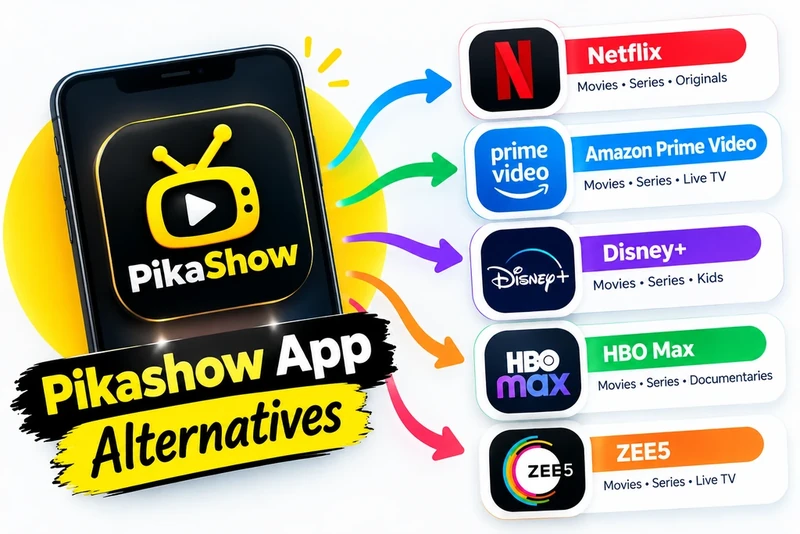
Licensed Alternatives
For users seeking secure, high-quality, and legally compliant entertainment options in India, several established platforms offer extensive content libraries:
- Netflix: A global streaming leader offering a vast library of original series, international films, and regional Indian content. Ideal for premium entertainment seekers.
- Prime Video: Provides movies, web series, and live sports coverage with flexible video quality settings. Best for families and multi-device households.
- JioHotstar: Features a comprehensive mix of live cricket, blockbuster movies, and regional television shows. Perfect for sports enthusiasts and regional drama fans.
- SonyLIV: Offers live sporting events, original web series, and diverse Sony network television programs. Suitable for sports and premium drama followers.
- ZEE5: Specializes in extensive regional Indian cinema, daily soap operas, and exclusive digital originals. Great for fans of localized linguistic content.
FAQ
Is the pikashow Android app safe to download and install?
Downloading software from unofficial third-party websites carries inherent security risks, including potential malware exposure and privacy concerns. This page cannot verify the safety of external APK files, and users should always exercise caution before installation.
Does the application hold formal content distribution licenses?
This page could not verify that the app holds valid licenses for the movies, television shows, and media streams it provides to users.
Why is the pikashow app not available on the Google Play Store?Applications that offer unverified streaming links or require sideloading often do not meet the stringent policy guidelines and distribution standards enforced by official app marketplaces.
Can I run this application on an Amazon Firestick device?
Many media-streaming applications support Android-based streaming sticks, though installation typically requires enabling developer options and sideloading the software package manually.
What should I do if a video stream fails to load?
If a stream link fails, you can try clearing the app cache, checking your internet connection stability, or selecting an alternative server link within the software interface.
Conclusion
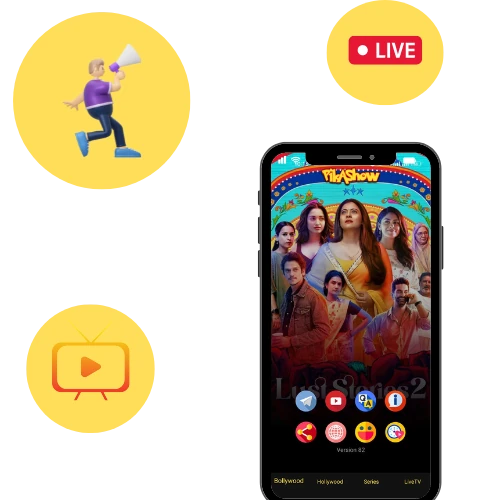
The pikashow Android app presents an indexed media browsing interface designed for mobile entertainment consumers. While it features category organization and external player support, users must weigh these utility aspects against unverified content licensing and potential security risks associated with sideloaded applications. Readers should prioritize digital safety, evaluate app permissions carefully, and consider authorized streaming platforms available in India for a secure and reliable viewing experience.